TABtouch Mobi App: Mobile Website, Downloads and Account Access
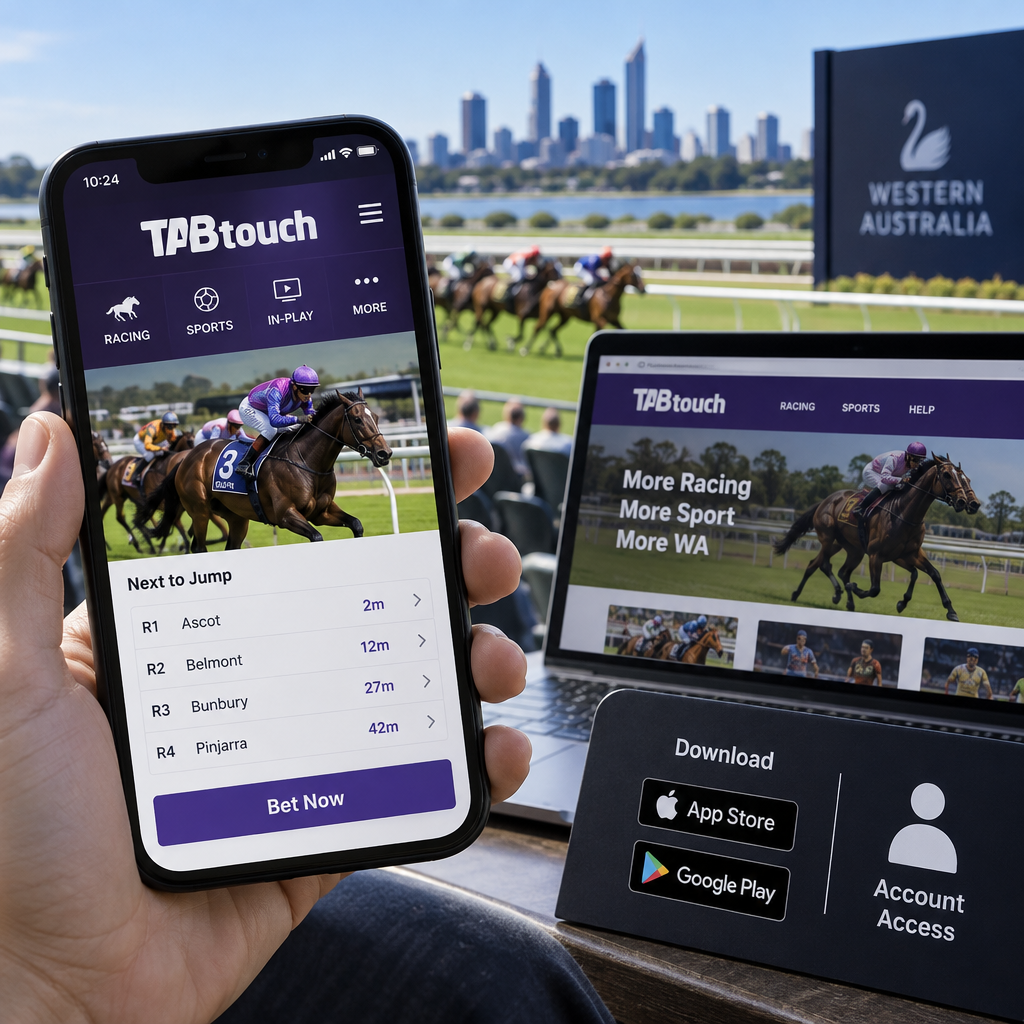
If you’re searching for the tabtouch mobi app, you may be looking for either the mobile website or the downloadable TABtouch app. TABtouch.mobi is the browser route; the operator also offers an app that is installed separately. The sources reviewed do not establish “TABtouch Mobi app” as the name of another standalone product. This guide explains how to find the official service, check device and account requirements, and understand important payment and responsible gambling conditions in Australia.
TABtouch Mobi: mobile website or app?
The TABtouch mobile website is accessed through a browser on your phone. You do not need to install an app to visit tabtouch.mobi. The Australian Communications and Media Authority (ACMA) lists that domain for Racing and Wagering Western Australia (RWWA), the operator of TABtouch.
The TABtouch mobile app is a separate download for a compatible device. TABtouch presents the app and browser as different access routes on its mobile landing page. The operator says its mobile site has the same markets as its app and full website, but that is not a complete independent comparison of every feature.
The interactive account journey on Mobi could not be fully tested for this guide. Page layouts and available features can also change, so check the current service rather than assuming the browser and app are identical.
- Browser: visit the official Mobi address without installing an app.
- App: start from TABtouch’s official mobile page and follow its store link.
How to access TABtouch safely on a phone
A safe starting point is tabtouch.com.au or ACMA’s register of licensed interactive wagering services. From the operator’s site, follow its link to the mobile page. Before a TABtouch app download, check that the store listing identifies the appropriate seller or publisher.
A familiar brand name in a web address does not by itself establish that a site belongs to the operator. Avoid entering account details on a lookalike page reached through an unfamiliar link. If you are uncertain, return to the operator’s main site or use ACMA’s register.
For browser access, go to tabtouch.mobi. The page requires JavaScript; a current minimum browser version was not verified. If it does not load, check your connection and browser settings or ask TABtouch for help.
- Start at the operator’s website or ACMA’s register.
- Follow the operator’s link to the mobile service or app store.
- Check the store seller or publisher before installing.
- Never enter your password or verification code on a site you cannot identify.
iPhone and Android app access
The Australian App Store listing for the TABtouch iPhone app identifies RWWA as the seller and shows an 18+ classification. When researched, it listed iOS 15.1 or later for iPhone and iPadOS 15.1 or later for iPad. Requirements can change with updates, so consult the current listing before installing.
For the TABtouch Android app, follow the link provided by TABtouch’s mobile page or Android help. The help page links to Google Play, but it was updated in 2021 and the Australian Play listing could not be independently inspected for this guide. That does not establish that the app has been removed.
If the store link does not work, check your device and store settings, try the official browser route if accessible, or contact TABtouch. The current minimum Android version and a supported alternative installation source were not verified. Avoid unofficial APK downloads.
Who can open a TABtouch account?
RWWA operates TABtouch. The Western Australian Gaming and Wagering Commission says it licenses and regulates RWWA’s wagering operations. ACMA lists TABtouch separately from TAB and its Tabcorp-related operators, so their account rules should not be assumed to be the same.
TABtouch’s account-opening guidance says applicants must be at least 18. Its terms require identity verification before an account can be opened and before deposits or bets. Registration therefore should not be assumed to be immediate.
The operator’s published regional guidance refers to Australian residency and describes possible written exemptions for people who primarily live overseas. A WA licence does not, on its own, mean that only WA residents can apply. Equally, the sources reviewed do not establish identical access, markets or account conditions in every state and territory.
To apply, select the account-opening option on the official service, provide the requested personal and contact details, complete the identity checks and create credentials as prompted. Check current terms or contact TABtouch if your residency, location or travel circumstances are unclear.
TABtouch mobile login, recovery and security
Existing customers can use their account number and password for TABtouch mobile login. If you have forgotten your password, use the official Forgot password process and follow the verification steps using your registered contact details.
TABtouch describes optional multi-factor authentication that can send a one-time code by SMS or email. Its help page notes that the feature does not apply to every channel, so check what is currently available for the way you sign in. Never share your password or a one-time code.
If a code does not arrive, check that your registered contact details are correct and look in your email spam folder. Repeated unsuccessful login attempts can restrict access. If recovery does not work, contact TABtouch on 1300 36 36 88 or at [email protected] rather than continuing to guess credentials.
What can you do on the mobile service?
TABtouch describes racing and sports markets, racing information, Blackbook, streaming, deposits and withdrawals on its mobile services. Availability can depend on the feature, device, location and account conditions. Streaming or racing wagering should not be taken to mean online in-play sports betting is permitted: ACMA says online in-play sports betting is prohibited in Australia.
One documented app-specific feature is Scan My Bet. TABtouch says its native Apple and Android apps can scan eligible WA TAB tickets to check them and, where applicable, deposit their value. The sources reviewed do not establish that this feature also works in a browser.
Account history can help you check what has happened to a deposit, withdrawal or bet. TABtouch has published a mobile transaction-history guide, although its instructions are older and current menu labels may differ. If a connection drops during a transaction, check its status or contact customer service before trying again; otherwise, you could unintentionally repeat it.
TABtouch deposits and funding restrictions
TABtouch’s published funds guide lists Visa and Mastercard debit cards, PayID, PayPal, Apple Pay, Google Pay and BPAY. That detailed guide was last updated in 2022, so check the current payment screen and terms for the methods available to your account, along with any limits, fees and conditions.
The operator’s terms say RWWA does not charge a debit-card deposit fee and that registered debit cards must be in the account holder’s name. Your financial institution may nevertheless charge a fee or block a transaction. The debit-card statement should not be read as a promise that every payment method is fee-free.
Australian rules prohibit funding online wagering accounts with credit cards, credit-card-linked digital-wallet funds or digital currency. A digital wallet appearing as an option does not make a prohibited funding source permissible. Check both the funding source and the operator’s current requirements before making a payment.
Withdrawals and the turnover condition
TABtouch’s funds guide describes regular electronic funds transfer to a nominated bank account in the account holder’s name. It also describes a fast-withdrawal option that requires a successful PayID deposit from a matching Australian bank account. The guide includes a cash-withdrawal route at WA TAB outlets; it should not be assumed to be available at retail locations nationwide.
Before requesting a withdrawal, check that your nominated account details match your TABtouch account and ask support about any verification requirements. Processing estimates are not guarantees: bank processing, checks and account restrictions can affect timing.
A material condition in TABtouch’s terms is that funds not turned over cannot be withdrawn. This can affect deposited funds that have not been wagered. Do not assume a withdrawal will be approved simply because a particular transaction has occurred, and do not feel obliged to wager merely to unlock money. If the condition is unclear or you dispute a restriction, contact TABtouch and, if necessary, the WA regulator.
The terms also contain a general responsible-wagering withdrawal restriction alongside a specific provision permitting withdrawals during Take a Break. Because other account restrictions may apply, ask support how your individual circumstances affect access to your balance.
Responsible gambling controls and support
Gambling involves financial risk, and no betting outcome is guaranteed. TABtouch’s terms describe controls for limiting or stopping account activity. Review their current settings and conditions before relying on them.
The controls have different scopes. In particular, an online wagering exclusion does not automatically cover physical venues. If you need to withdraw a balance while a restriction is active, ask support how the relevant terms apply.
For independent support, call the National Gambling Helpline on 1800 858 858 or visit Gambling Help Online. ACMA describes the support as free, confidential and available 24 hours a day, seven days a week.
- Deposit and single-bet limits: TABtouch’s terms provide for financial limits, with a seven-day cooling-off period for increases.
- Take a Break: stops deposits and bets for the selected period. The break cannot be shortened during that period, and the specific provision permits withdrawals.
- BetStop: national self-exclusion from Australian licensed online and phone wagering, for a period from three months to lifetime. It does not itself exclude a person from physical venues.
- WA TAB agency self-exclusion: a separate retail programme with a minimum initial period of 12 months. TABtouch says its online accounts are also closed when this exclusion begins.
FAQ
Is TABtouch Mobi the same as the downloadable app?
No. Mobi is the mobile website you visit in a browser, while the app is installed on a compatible device. TABtouch describes both routes, but the sources reviewed do not establish TABtouch Mobi as the name of a separate current app or confirm that every feature is identical.
Where can I download the TABtouch app?
Start at TABtouch’s official mobile page and follow its store link. The Australian Apple listing identifies RWWA as the seller. The Australian Android storefront could not be independently checked for this guide; if the operator’s link fails, try the browser route or contact TABtouch rather than using an unofficial download.
Can I use TABtouch in every Australian state and territory?
TABtouch is operated from WA, and its published regional guidance refers to Australian residency. The sources reviewed do not confirm identical access, markets or account conditions everywhere in Australia. Check the current terms and ask TABtouch about your location, particularly if you are travelling.
Why can’t I log in or install the app?
For login problems, check your account number and registered contact details, then use the official Forgot password process if needed. Check spam for a missing email code. For installation problems, consult the current store listing for compatibility. Repeated failed logins can restrict access, so contact TABtouch if the issue persists.
What responsible gambling controls are available?
TABtouch describes deposit and single-bet limits, Take a Break and self-exclusion options. BetStop covers licensed Australian online and phone wagering; a separate programme covers WA TAB agencies. Check the current account menus and the conditions of each option before choosing one.
Can I withdraw money during Take a Break?
TABtouch’s specific Take a Break provision says withdrawals remain possible during the selected break, while deposits and bets are stopped. Other terms describe broader responsible-wagering restrictions, so contact support about your account and any pending withdrawal rather than assuming it will proceed without checks.
What should I do if my connection drops during a deposit or bet?
Check the transaction or bet status in your account, or contact TABtouch if the result is unclear. Do not immediately repeat the action: the original transaction may have been received even if your connection failed before you saw a confirmation.
TABtouch.mobi is the browser route, while the downloadable app is a separate way to access TABtouch. Start from an official operator page or ACMA’s register, and check the current store listing if you want to install the app. Before opening or using an account, review the eligibility, payment, withdrawal and responsible gambling conditions that apply to your circumstances.